When you start a project with a client in WillowSpace, they’ll be able to view it through their Client Portal. This gives them a simple, easy-to-follow overview of the work you’re doing together—without overwhelming them with unnecessary details.
Here’s what clients can see (and do) inside their portal:
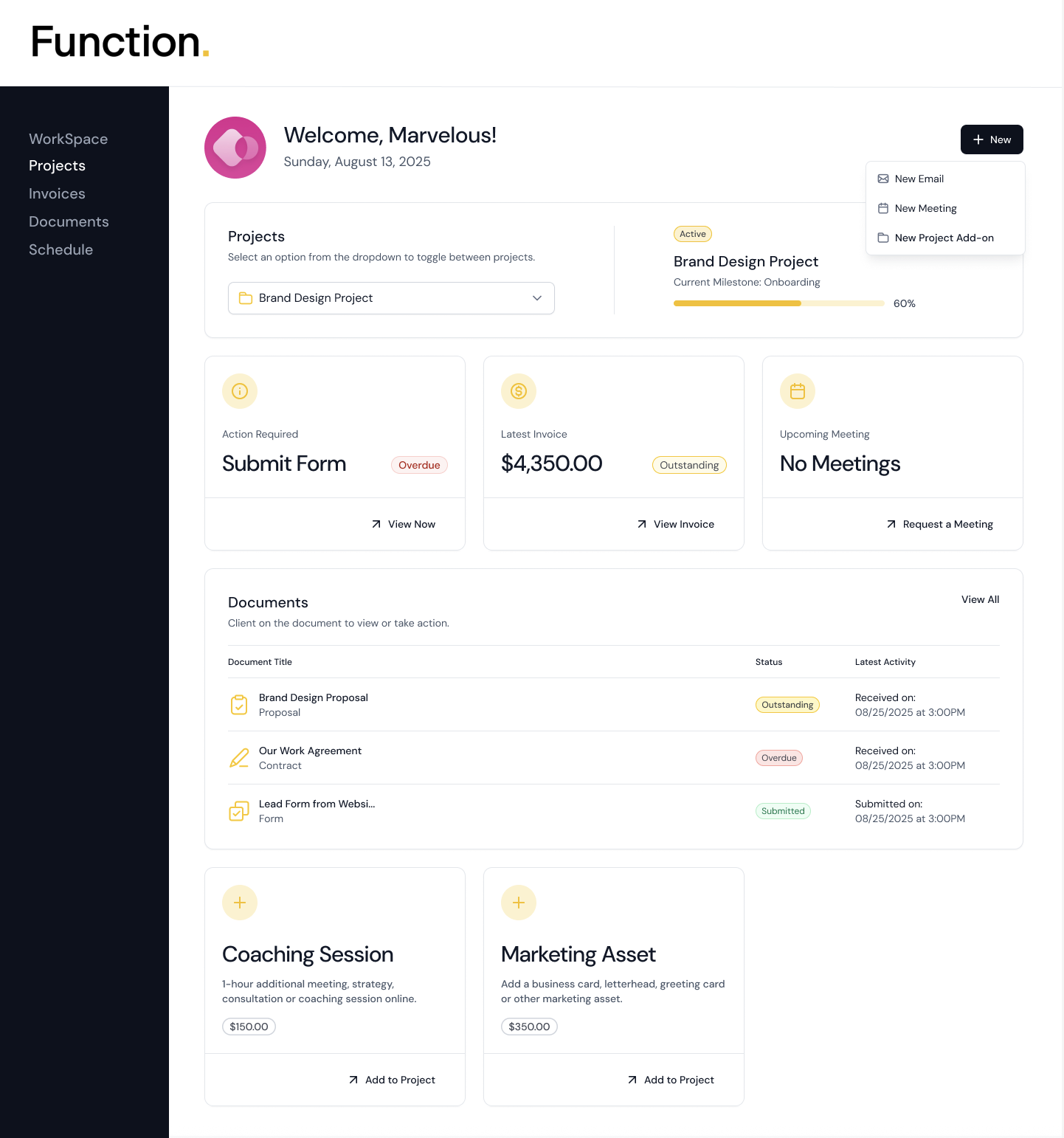
Project Overview
Clients can select from a dropdown if they have multiple projects in their portal. They will see a clean summary of each project, including:
Project title
Progress bar based on completed milestones
Current milestone being worked on
Status (e.g., active, inactive or complete)
Documents assigned to the project/client
Add-ons to upsell services
Why The Portal Matters
Giving your clients access to the Client Portal helps:
- Set clear expectations
- Reduce the need for constant updates
- Build trust through transparency
- Make the client experience smoother and feel more polished and professional
What Clients Don’t See
To keep things streamlined, clients do not see:
- Tasks assigned to you or other WillowSpace team members
- Your internal client or project notes
- Other add-ons or milestones you haven't assigned to the project
